Digital platform

AUTO.TO Cargo — the system where cargo lives

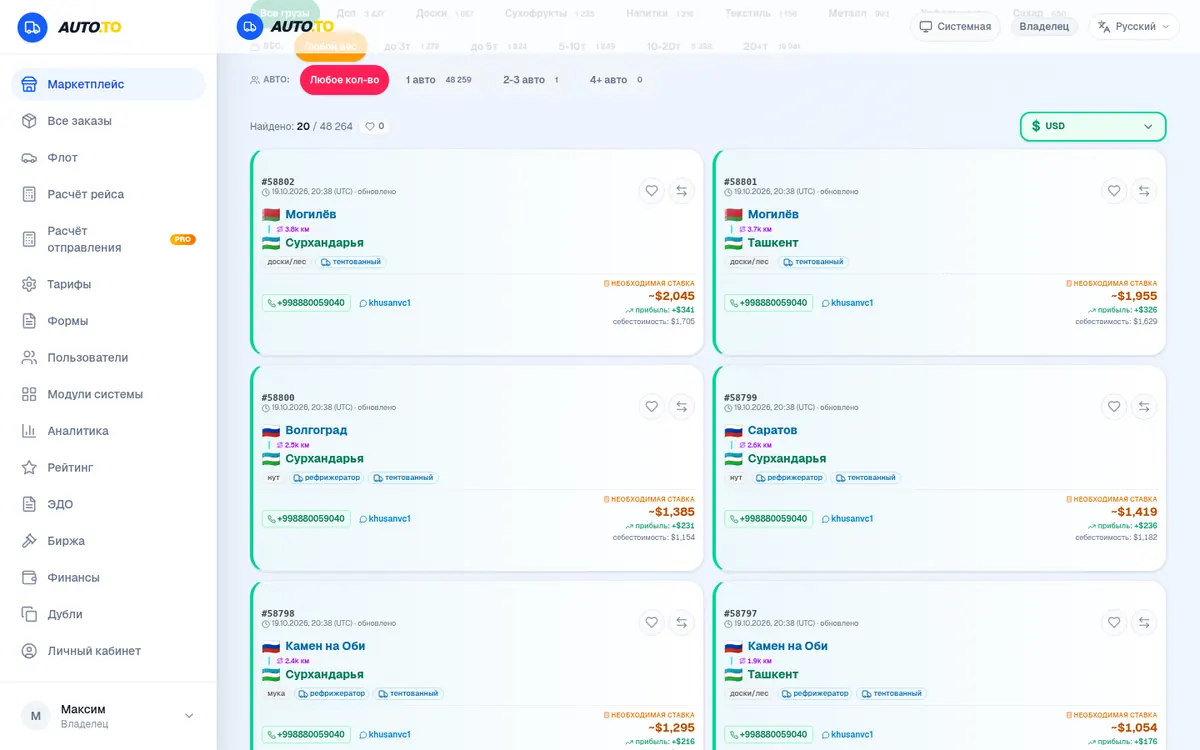
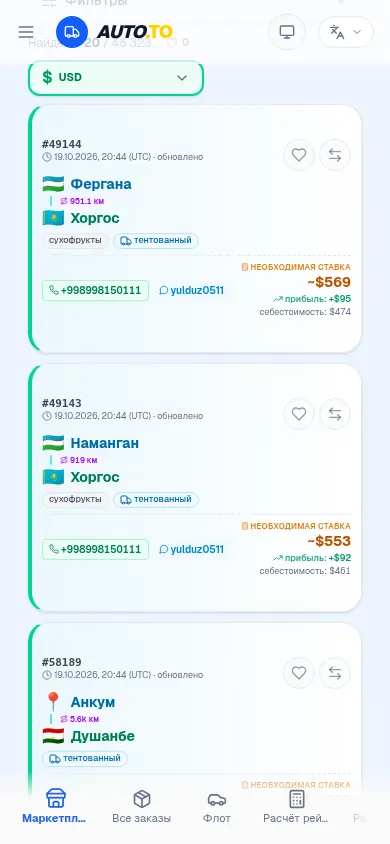
Behind this link is not a business-card website but a working RU ↔ UZ freight exchange: one route feed, auctions, tracking and documents. Below is an honest review of every feature with screenshots of the live system.

48,264

routes in the system database

21

features reviewed

4

sign-in methods

24/7

feed updates

Chapter 2

Publishing and orders

Found a load or offering your own? Publishing takes a minute, and orders land on the exchange right away — where carriers compete for them with bids.

Feature 04

Publishing a route

The publish form is like a classified ad, only better: cities from a smart directory, cargo, weight, volume, body type and a rate in the currency you need. The route lands in the shared feed tagged “System” and is visible to every marketplace user.

  • 7 body types: from a van to a refrigerator and a platform
  • Rates in 6 currencies: RUB, USD, EUR, UZS, KZT, CNY
  • Loading date and listing validity period
  • Contact fields — customers see the phone and Telegram
Open in the system
Диалог публикации маршрута: города, груз, вес, тип кузова, ставка

Feature 05

Order creation — with a map and details

A real order, not “we'll call you back”: pickup and delivery points are picked on an interactive map, with vehicle type, weight and volume, fragile or dangerous flags and a temperature mode. Batch input takes a list of routes line by line and the system creates the orders itself.

  • Pickup and delivery points on an interactive map
  • Vehicle type and cargo parameters
  • “Fragile” and “dangerous” flags, temperature mode
  • Batch input: a list of routes — one line per run
Open in the system
Форма создания заказа: карта, заборка, доставка, тип транспорта, детали груза

Feature 06

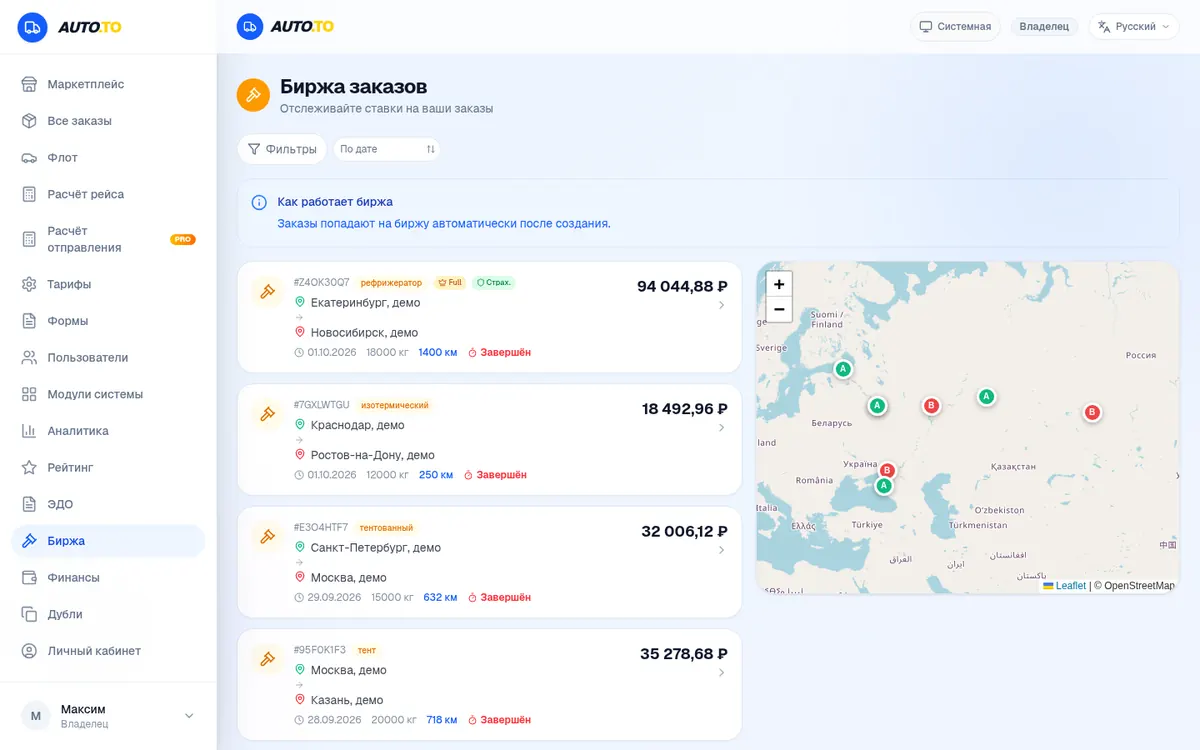
Order exchange and auctions

Orders flow to the exchange the moment they're created. Carriers fight for your cargo with bids — you see every one and pick the best. Like a real auction: lot number, route, current price.

  • An auction for every order: number, bid, route
  • Order map with origin and destination points
  • Carriers' bids — you choose the best
  • Filters and auction statuses
Open in the system
Биржа заказов: список аукционов со ставками и карта заказов

Feature 07

Orders and statuses

All your orders in one table: status, route, amount, dates. Status filters — new, auction, in transit, delivered — so no run gets lost in the chats.

  • Statuses: auction → in transit → delivered
  • Routes and amounts in a single list
  • Filters by order status
Open in the system
Таблица заказов со статусами, маршрутами и стоимостью

Feature 08

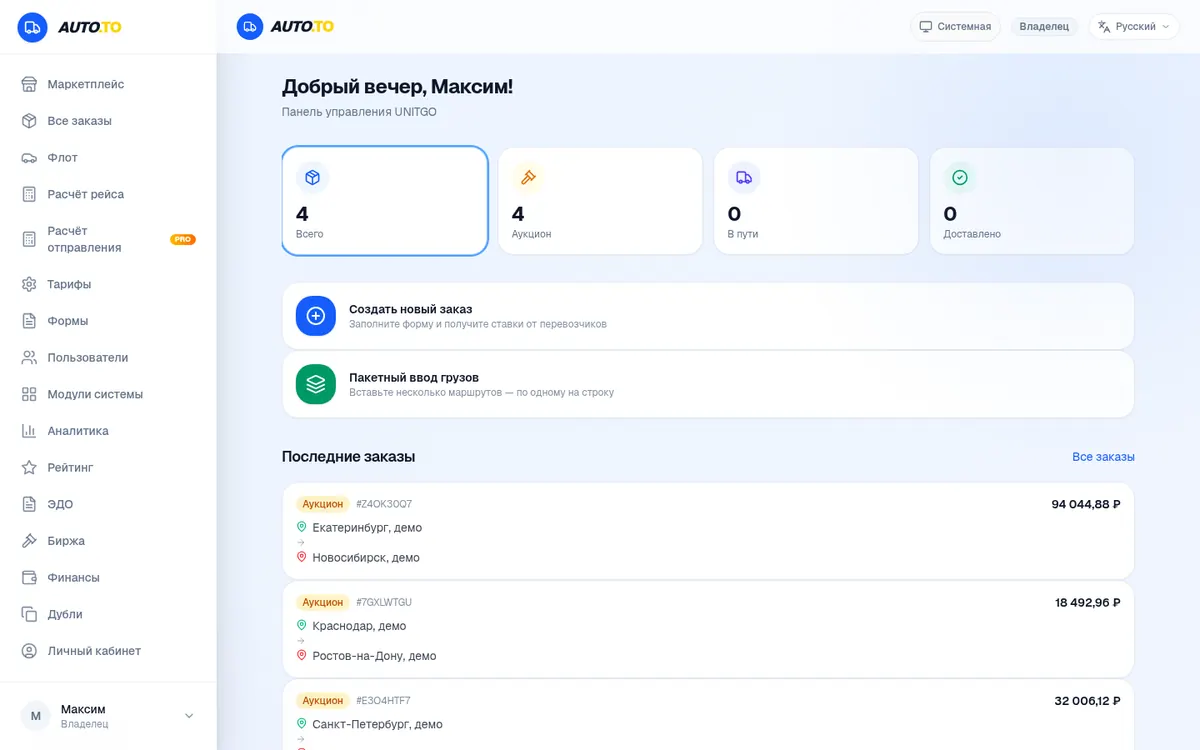
Dashboard — the whole picture in 10 seconds

The dashboard opens with a summary: total orders, on auction, in transit, delivered. Log in in the morning and you instantly know what's happening with your cargo — no pile of tabs.

  • Counters: total, auction, in transit, delivered
  • Quick actions: create an order, batch cargo input
  • Recent orders with bids and routes
Open in the system
Дашборд системы: приветствие, счётчики заказов и последние аукционы

Chapter 3

Calculations and money

The system does the math for you: per-direction rates from the live database, honest cost price, turnover analytics and per-run accounting.

Feature 09

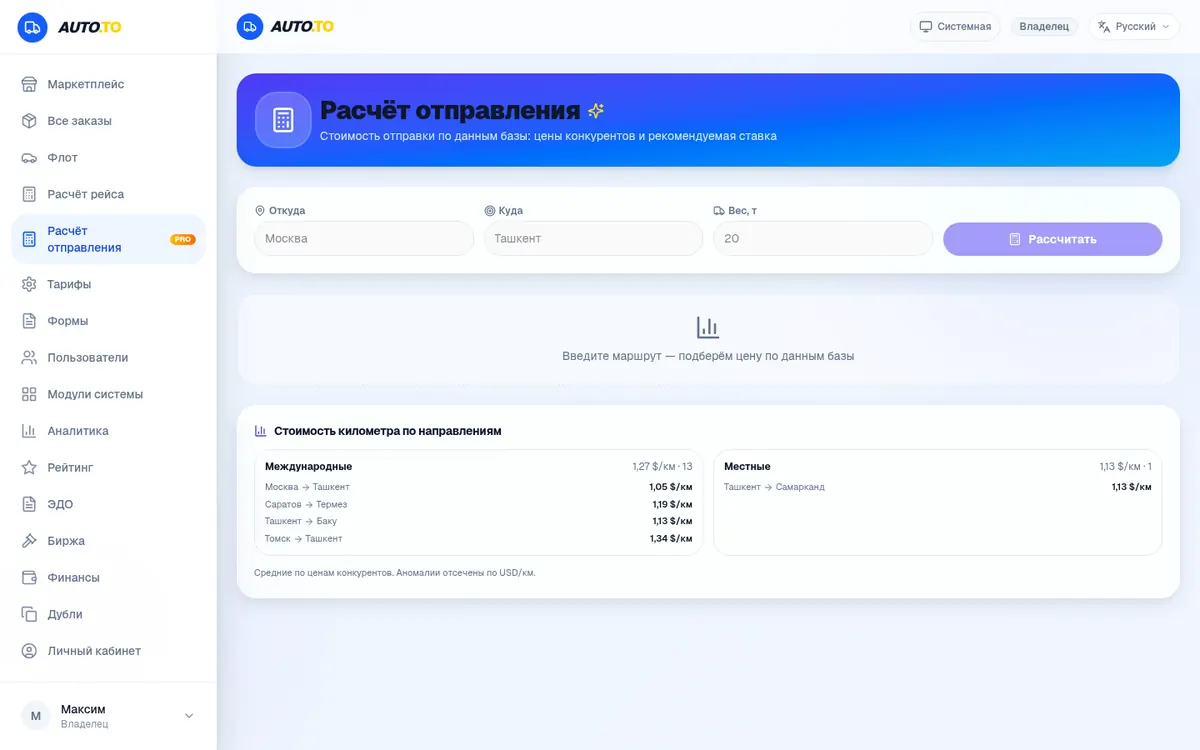
Run calculator — with live rates

No need to guess what the Moscow — Tashkent leg costs: the system knows per-kilometre rates by direction from the real route database. Enter the route and parameters and get an estimate that won't sell you short or scare the shipper off.

  • Per-kilometre rates — from the live database
  • Calculation by route, weight and rate
  • The rate table is right inside the calculator
Open in the system
Калькулятор расчёта рейса с таблицей тарифов по направлениям

Feature 10

Cost price — your numbers

Set your own rates and norms and every calculation in the system runs on your numbers: fuel, depreciation, driver's wage. You see the honest cost of a run before the rate is agreed.

  • Your own rates and norms for every calculation
  • Honest margin on every leg
  • Configure once — works everywhere
Open in the system
Настройка себестоимости: калькулятор с полями тарифа и веса

Feature 11

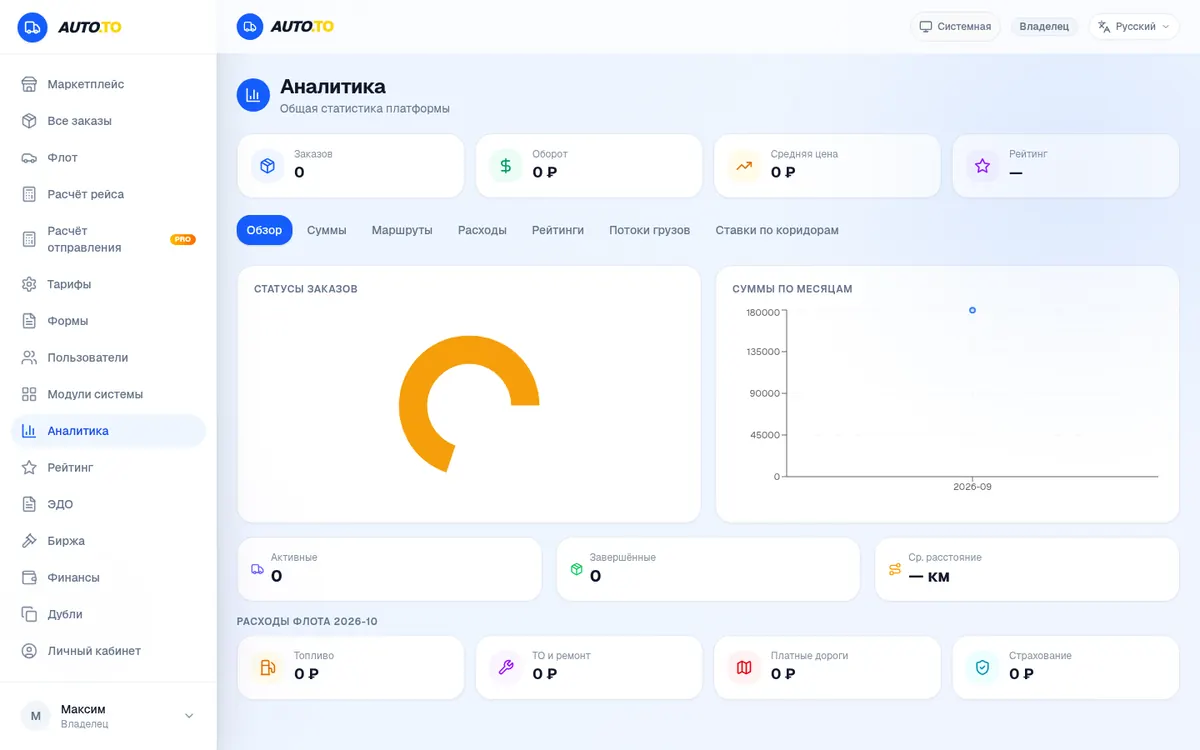
Analytics — the numbers pile up on their own

Turnover, expenses, month-over-month dynamics — in charts, with no hand-built spreadsheets. Work in the system and the analytics grow with every run.

  • Order and turnover statistics
  • Charts by month
  • Business dynamics on one screen
Open in the system
Раздел аналитики: графики оборота и расходов по периодам

Feature 12

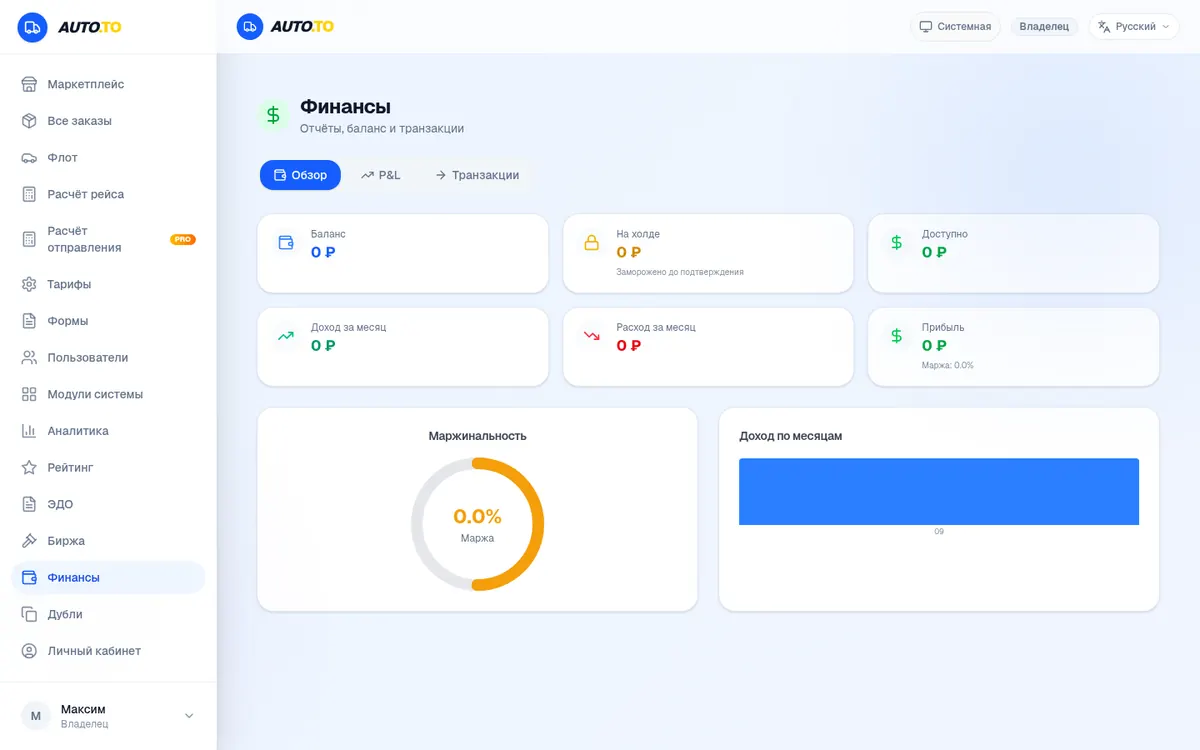
Finance — remembers every penny

Balance, income and expenses, margins — in one section. The system remembers the money for every run, so you don't collect it from chats and receipts at month's end.

  • Balance, income and expense cards
  • Margin and income charts by month
  • Accounting for every run
Open in the system
Раздел финансов: баланс, доходы, расходы, графики маржинальности

Chapter 4

Run control and documents

Where the cargo is — on the map. Documents — digital. Reputation — in plain sight. The sections that turn transport into a managed process.

Feature 13

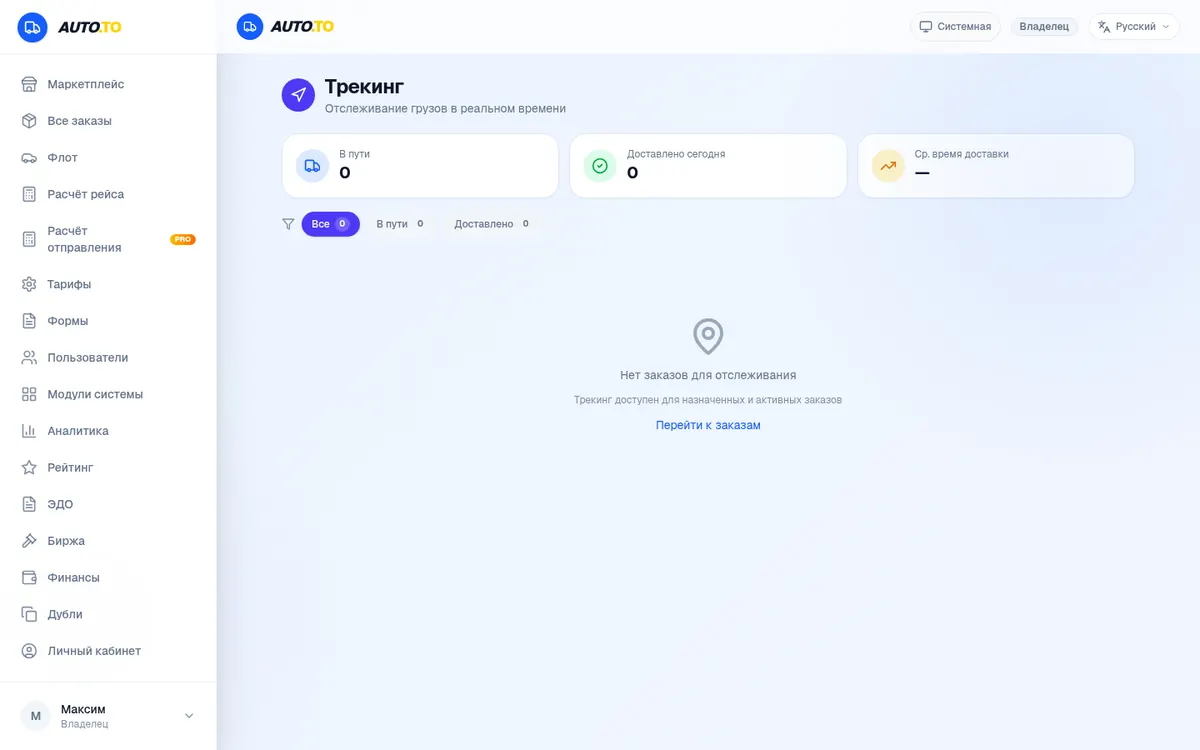
Tracking — the run live

The run on the map, statuses in real time, active-run counters. You always know where your cargo is — without the “how much longer?” calls.

  • Vehicle positions on the map
  • Run statuses in real time
  • Active-run counters
Open in the system
Раздел трекинга: статусы рейсов и карта отслеживания

Feature 14

Chats — messaging inside the system

No hunting for a counterpart on Telegram with a dozen chats: direct messages live in the system, with a “Message” button right on the route card. Notifications and unread counts — like a proper messenger.

  • Direct messages with shippers and carriers
  • The “Message” button from the route card
  • Notifications about new messages
Open in the system
Раздел чатов: личные сообщения внутри системы

Feature 15

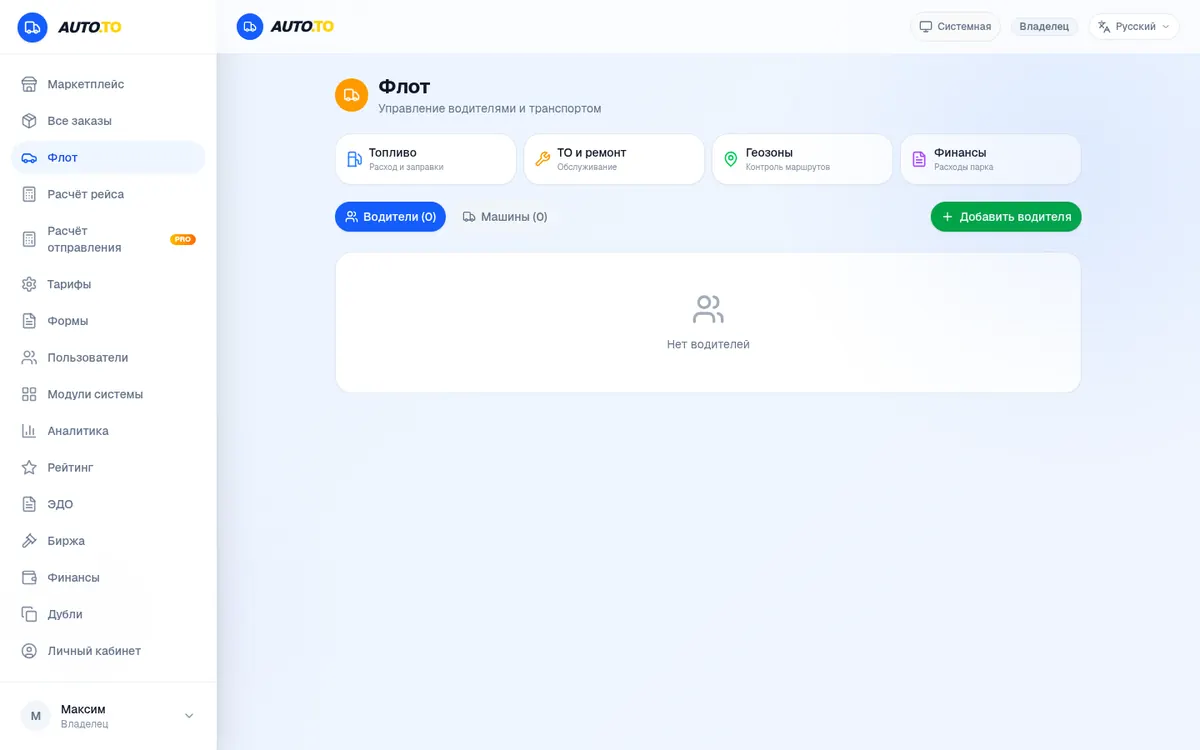
Fleet — drivers and vehicles under control

Drivers and vehicles in one list: cards, documents, links to runs. A dispatcher or fleet owner instantly sees who's free, who's on the road and whose papers need a refresh.

  • Driver and vehicle cards
  • Fleet management: who's on a run, who's free
  • Grow the fleet in a couple of clicks
Open in the system
Раздел «Флот»: управление водителями и транспортом

Feature 16

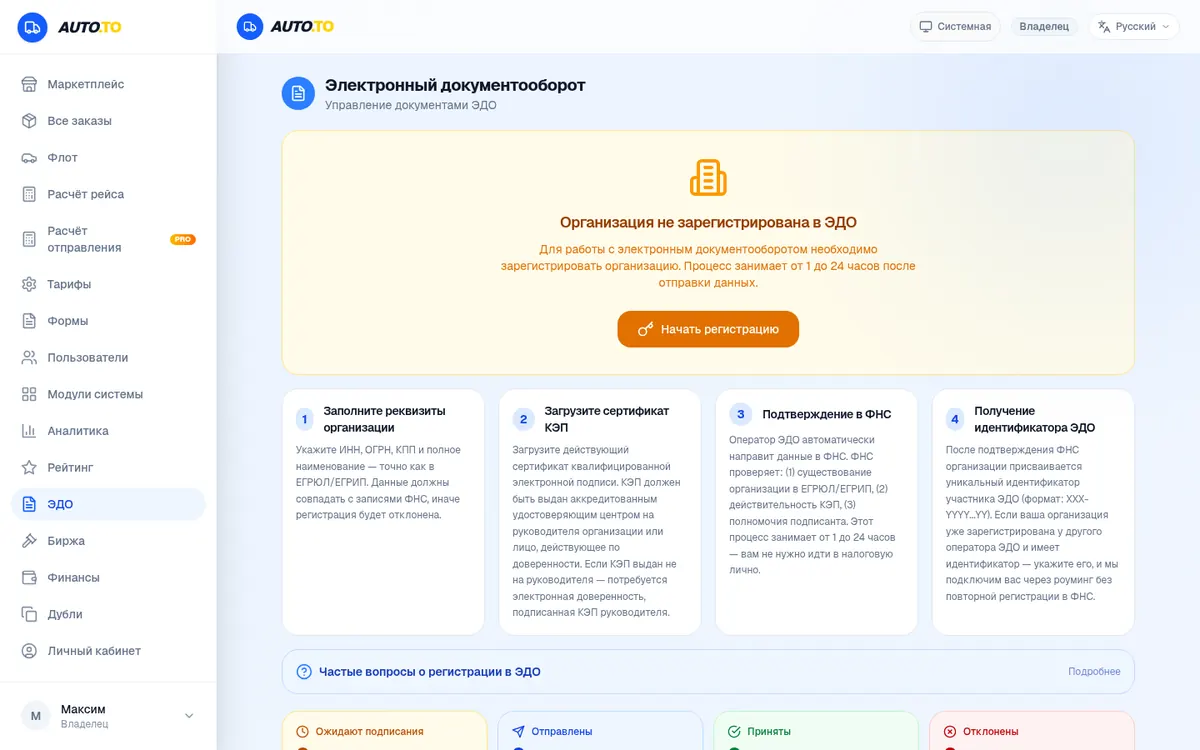
EDI — paperwork without paper

Electronic document flow: a company registers in the EDI in four steps right from the system. Contracts and closing documents are legally valid — no “please send a scan”.

  • Step-by-step company registration in the EDI
  • Legally binding document flow
  • Documents stored next to the orders
Open in the system
Раздел ЭДО: регистрация организации в электронном документообороте

Feature 17

e-Waybills — electronic transport documents

Instead of a stack of waybills — a digital run: electronic transport documents with statuses, filters and processing in a couple of clicks.

  • Electronic documents per run
  • Filters by status
  • Processing and storage in the system
Open in the system
Раздел ЭПД: электронные перевозочные документы рейсов

Feature 18

Quality control — zero duplicates

The system keeps the feed clean by itself: duplicates are caught automatically and route updates are logged. 3,795 updates and not a single duplicate — you never call the same offer twice.

  • Automatic duplicate detection for routes
  • Update log with dates and statuses
  • A clean feed with no repeats
Open in the system
Раздел «Дубли»: 0 дубликатов и 3795 обновлений маршрутов

Feature 19

Rating — your reputation works for you

Complete runs — collect reviews. The rating is visible to your counterparts: it's easier to deal with a verified carrier or shipper, and the system gives honest players an edge.

  • Reviews after completed runs
  • Ratings and user roles in plain sight
  • Filter counterparts by reputation
Open in the system
Раздел рейтинга: отзывы и список пользователей с ролями

Chapter 5

Getting started

Sign-up takes under a minute, sign-in comes in four ways. The system asks how you work and tailors the dashboard to your role.

Feature 20

Sign-in and roles — a dashboard for you

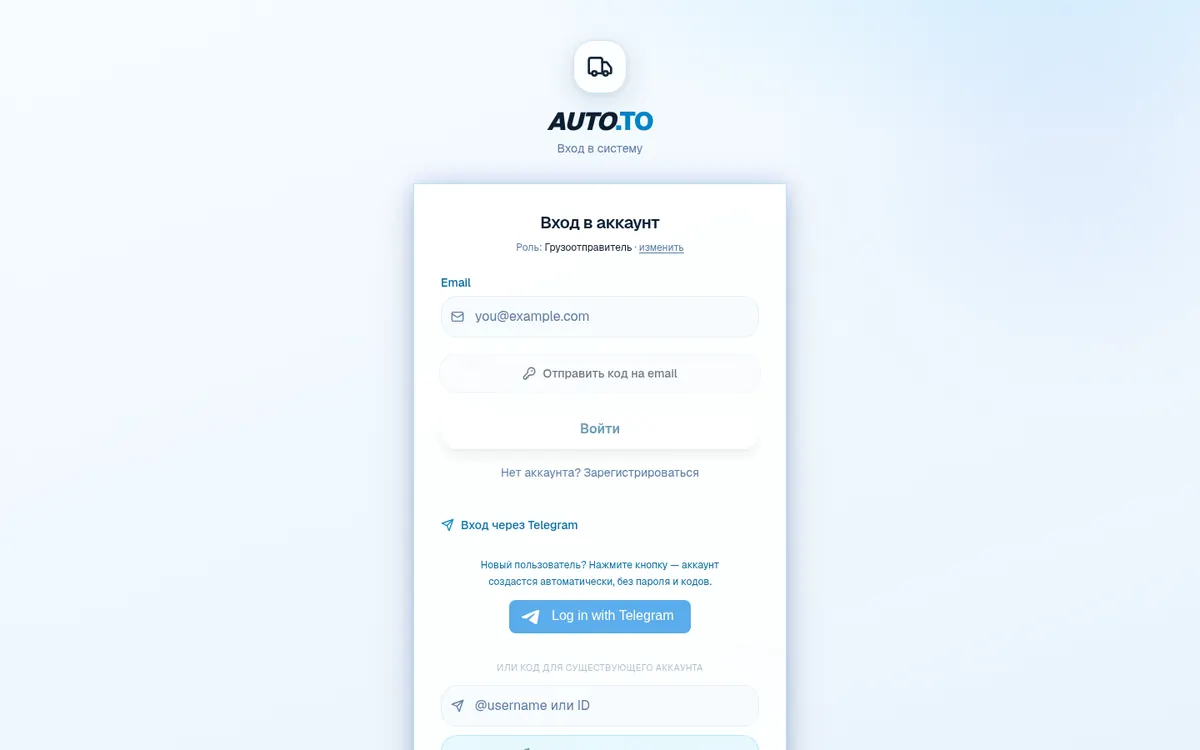
The system asks right away: do you have cargo, drive yourself or run a fleet? Shipper, driver and carrier each get their own menus and scenarios. Sign in four ways: password, email code, Telegram code or Google.

  • Roles: shipper, driver, carrier/dispatcher
  • 4 ways to sign in: password, email code, Telegram code, Google
  • Works as a website and as a Telegram Mini App
Open in the system
Страница входа: выбор роли — отправитель, водитель или перевозчик
Форма входа: код на email, код в Telegram, Google или пароль

Feature 21

Sign-up — a minute and you're in

No two-page forms: pick a role, enter an email or Telegram — the confirmation code arrives instantly. You can start working with the live route feed right after signing up.

  • Role + email or Telegram — and you're in the system
  • An instant confirmation code
  • Sign in the same day — no moderation, no waiting
Open in the system
Страница регистрации: выбор роли и ввод email

Roles

Which role fits you

The system asks for your role at login and shows only what you need — a shipper's dashboard differs from a driver's.

For shippers

marketplace, order creation, exchange and bids, EDI, finance

For carriers

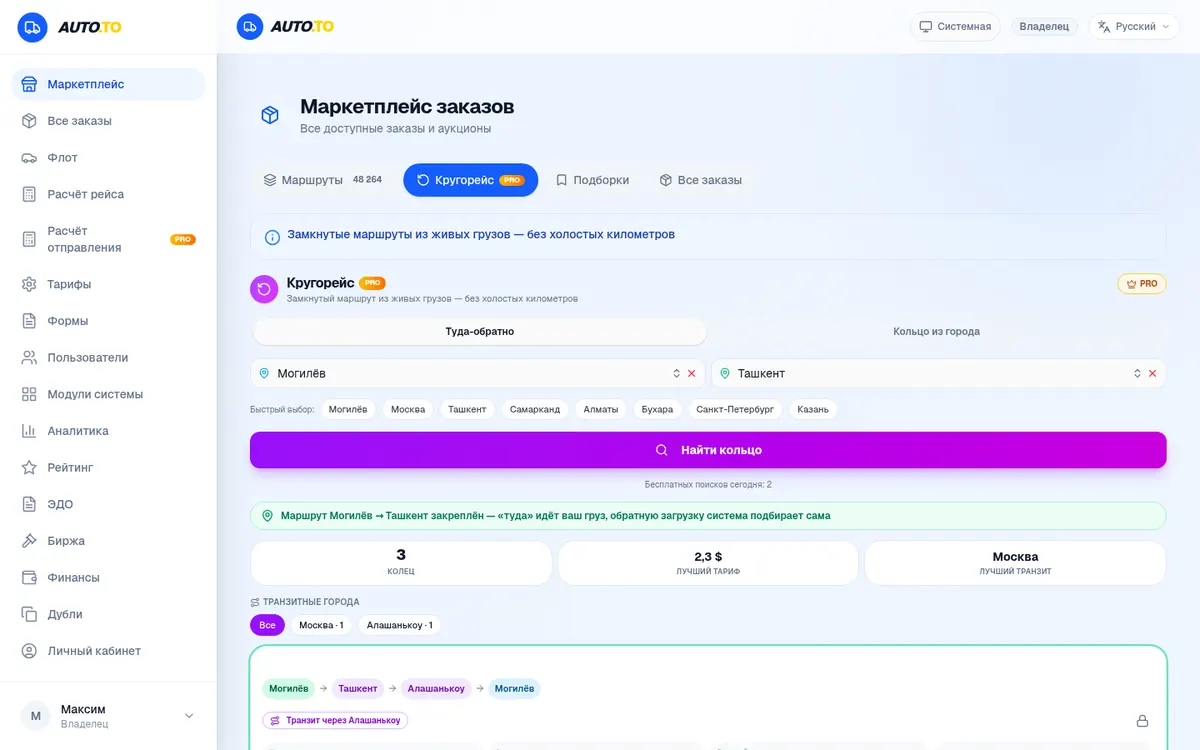
route feed, roundtrip PRO, tracking, run calculator, rating

For drivers

e-waybills, tracking, chats, your runs on one page

For dispatchers

fleet, exchange, analytics, control of all orders

Ready to see live routes?

Registration is free and takes under a minute. The route feed, round trips and auctions are waiting inside.

All screenshots are taken from the live unitgo.ru/cargo system on 19 October 2026 — you will see exactly these screens after logging in. The interface evolves, so the look may differ slightly.